cPGuard WAF Panel-Specific Steps
Use this page to configure your control panel before enabling cPGuard WAF.
Go to your panel section
cPanel
Navigate to Home >> Security Center >> ModSecurity Configuration >> Configure Global Directives.
Set:
- Audit Log Level (SecAuditEngine): Only log noteworthy transactions
- Rules Engine (SecRuleEngine): Process the rules
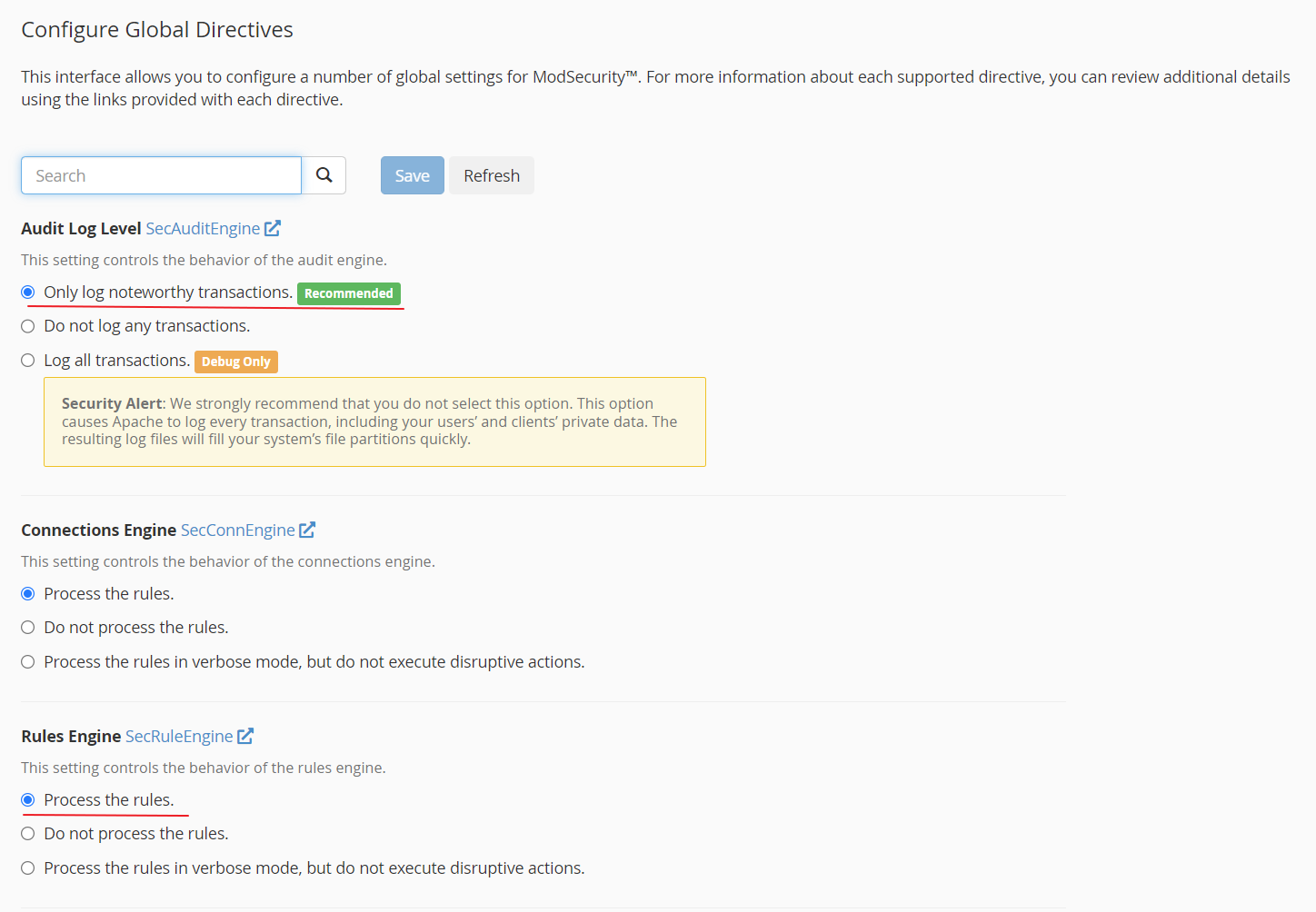
Do not enable additional ModSecurity vendor rules from WHM ModSecurity Vendors while using cPGuard WAF.
Recommended baseline:
SecRuleEngine On
SecAuditEngine On
SecAuditLogRelevantStatus "^(?:2|3|4|5)"
SecAuditLogParts ABDEFHIJZ
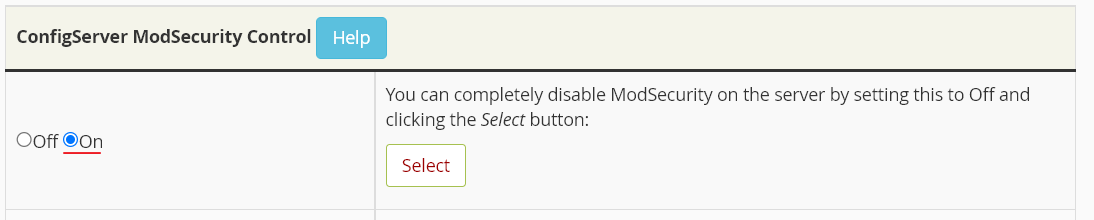
ConfigServer ModSecurity Control (CMC)
If CMC is installed, keep ModSecurity enabled there as well.
DirectAdmin
Run:
cd /usr/local/directadmin/custombuild
./build update
./build set modsecurity yes
./build set modsecurity_ruleset "no"
./build modsecurity
./build modsecurity_rules
./build rewrite_confs
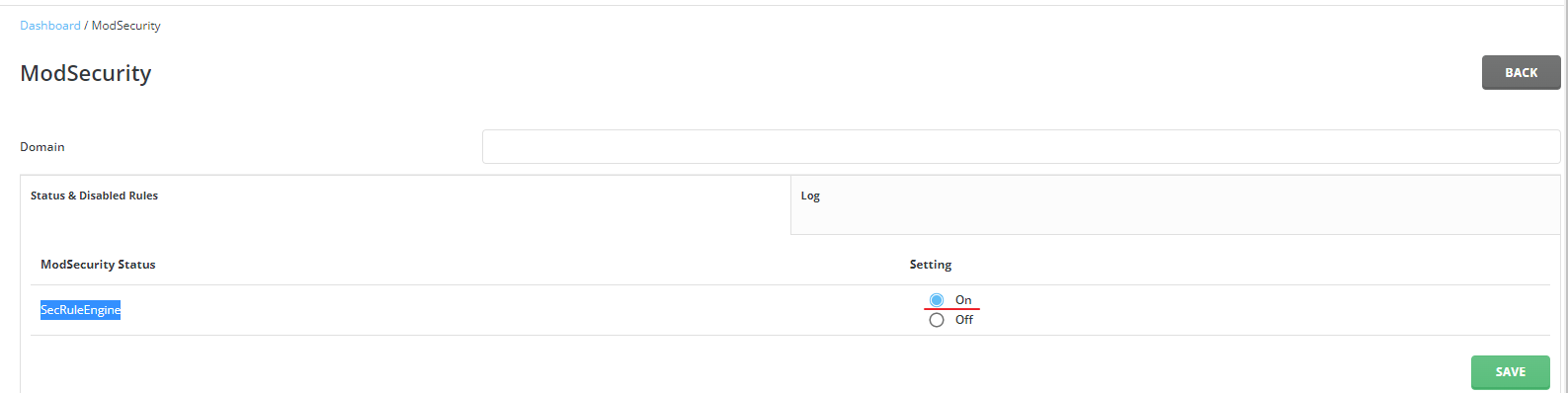
Then verify in DirectAdmin >> Server Manager >> ModSecurity that SecRuleEngine is ON.
Plesk
Use one of the following commands.
Apache:
plesk bin server_pref --update-web-app-firewall \
  -waf-rule-engine on \
  -waf-web-server apache \
  -waf-rule-set custom \
  -waf-archive-path /opt/cpguard/app/resources/cpg_modsec_enable.conf.zip
Nginx:
plesk bin server_pref --update-web-app-firewall \
  -waf-rule-engine on \
  -waf-web-server nginx \
  -waf-rule-set custom \
  -waf-archive-path /opt/cpguard/app/resources/cpg_modsec_enable.conf.zip
After this, enable cPGuard WAF from settings.
CyberPanel
Navigate to Server >> Security >> ModSecurity Conf and set:
- Enable ModSecurity: ON
- SecRuleEngine: ON
- SecAuditEngine: ON
- SecAuditLogParts: ABIJDEFHZ
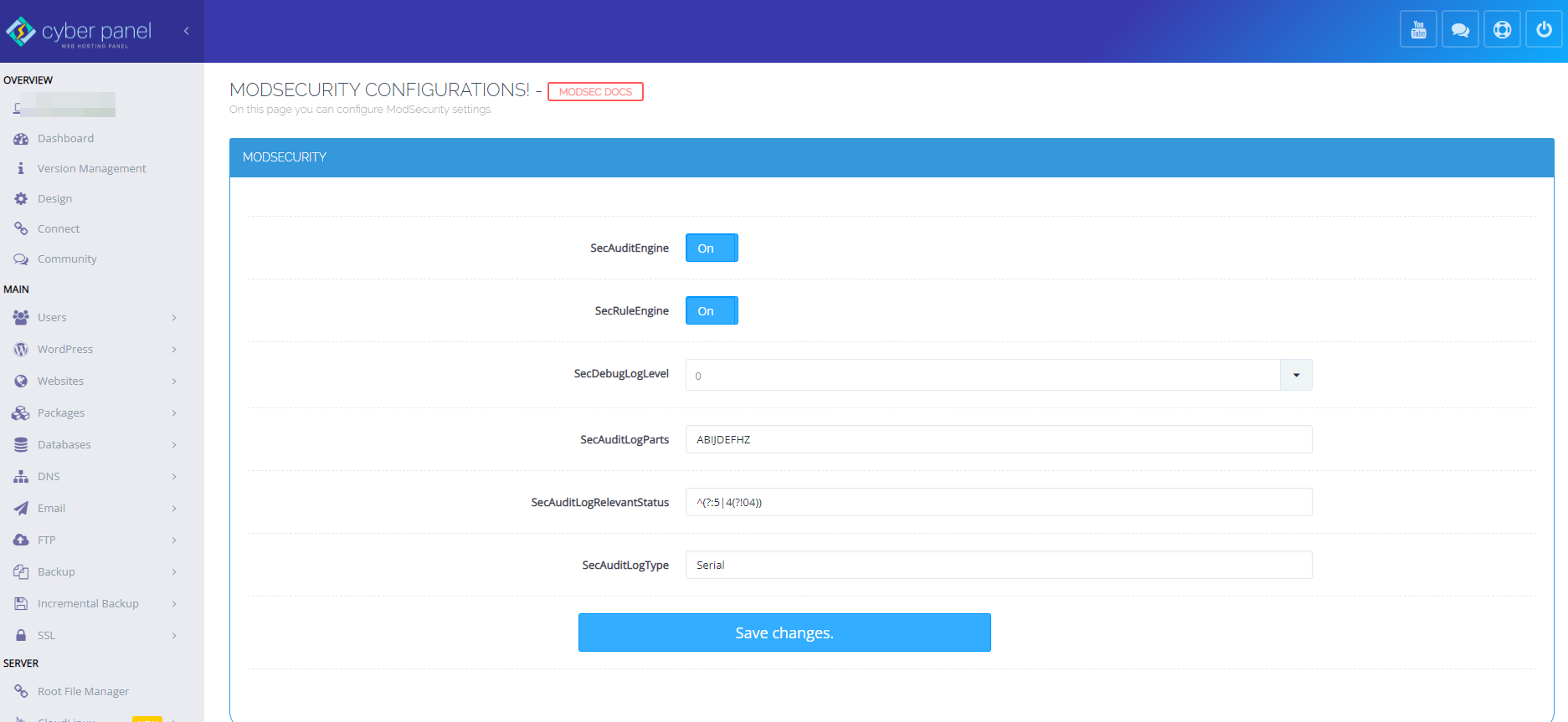
Then ensure OWASP ModSecurity Core Rules are disabled in Rule Packs.
Set a valid hostname resolving to your server IP so health checks can run correctly.
Control Web Panel (CWP)
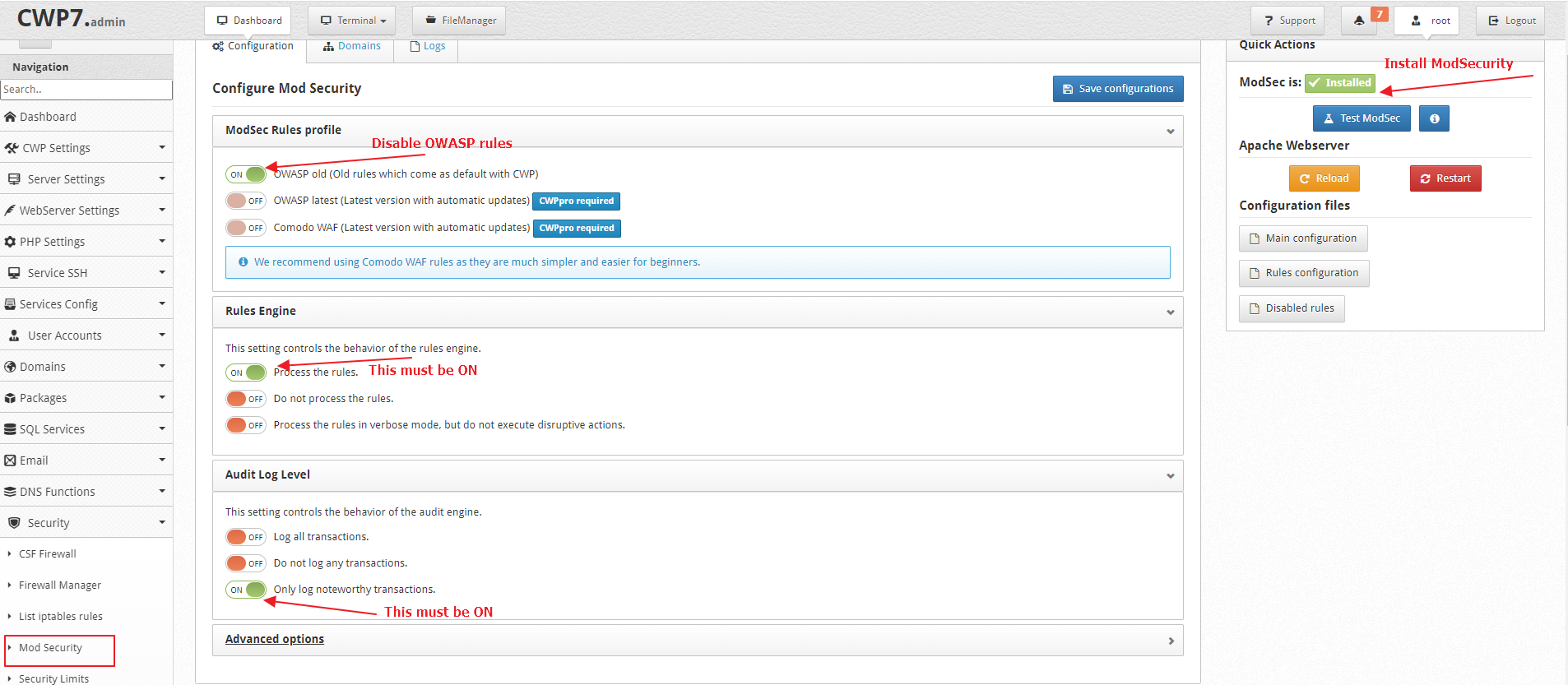
- Enable ModSecurity in CWP >> Security >> Mod Security.
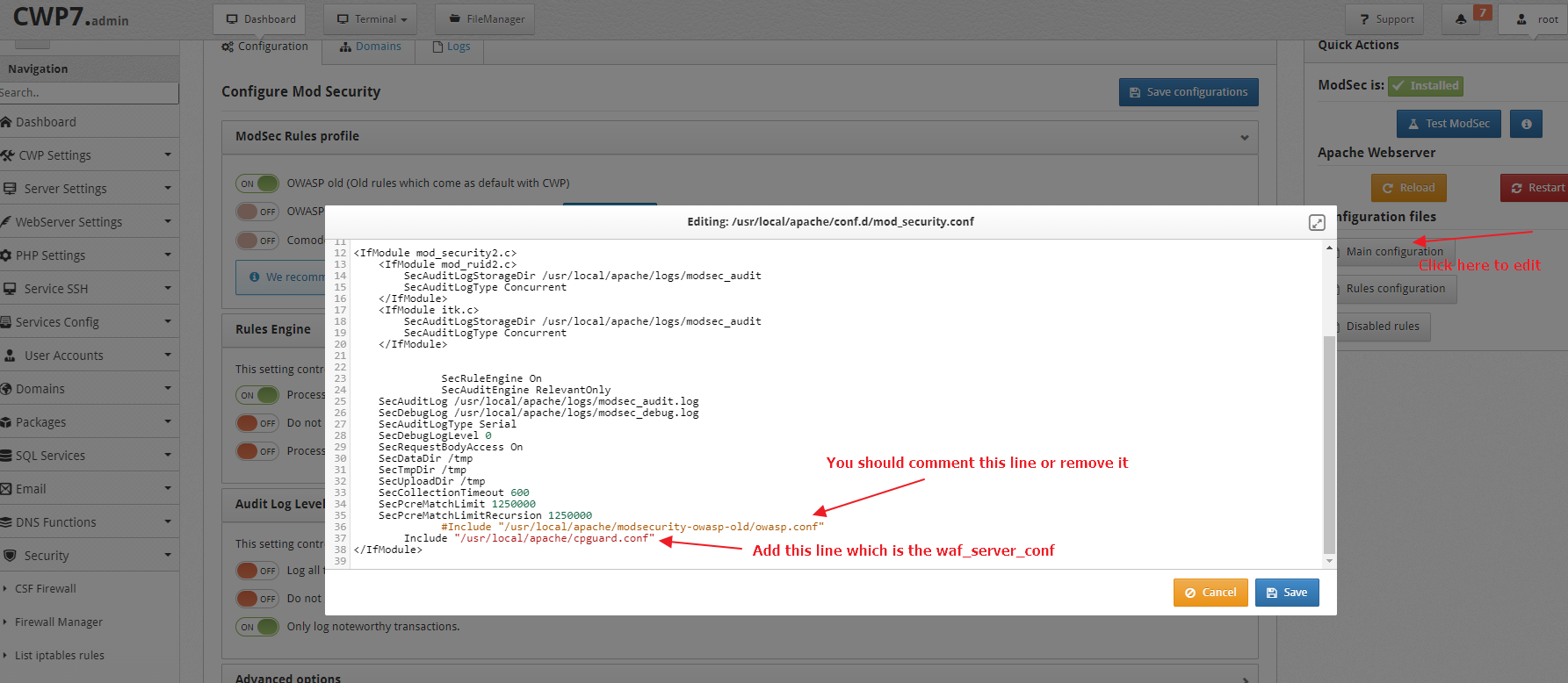
- Update the main ModSecurity config in
/usr/local/apache/conf.d/mod_security.conf.
- Complete remaining steps in CWP Standalone Configuration.
LiteSpeed with Enhance Control Panel
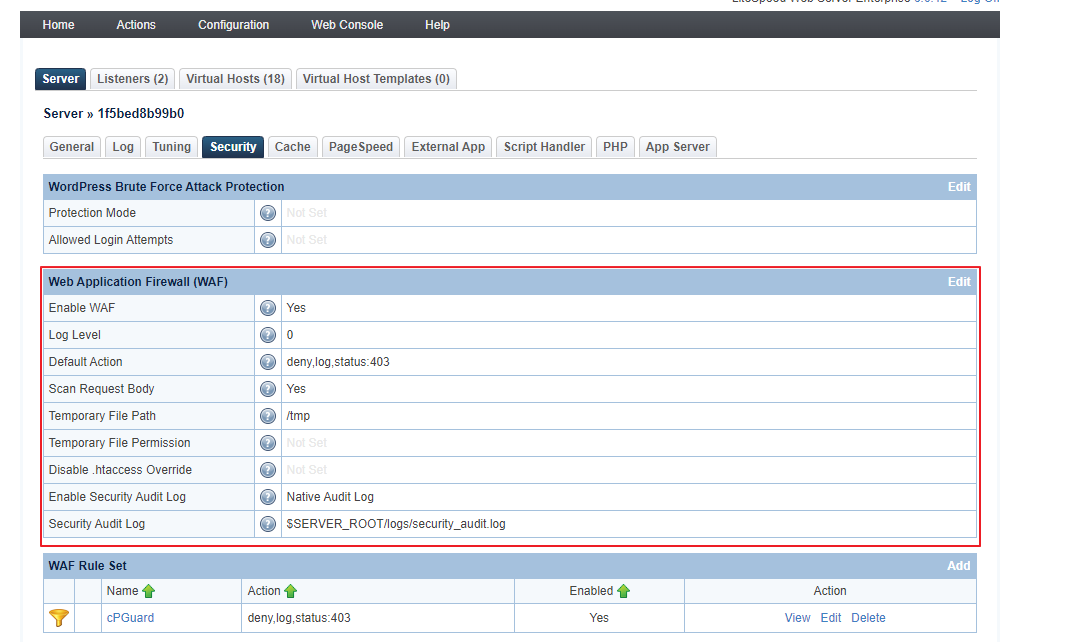
In Configuration >> Server >> Security:
- Enable WAF: Yes
- Scan Request Body: Yes
- Enable Security Audit Log: Native Audit Log
Then add this ruleset in WAF Rule Set:
- Name: cPGuard
- Action: deny,log,status:403
- Enabled: Yes
- Rules Definition: Include
$SERVER_ROOT/conf/cpguard.conf
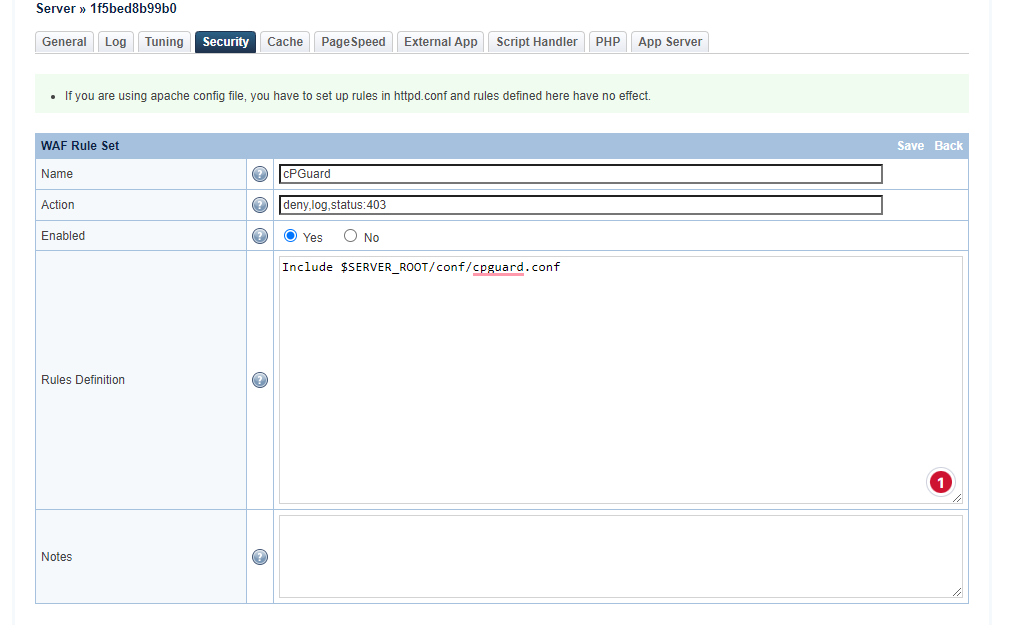
Rules definition:
Include $SERVER_ROOT/conf/cpguard.conf