Keep Logs For
The Keep Logs For setting determines how long cPGuard keeps its logs and quarantined files before removing them automatically.
You'll find this option under:
Settings → Additional Settings → Keep Logs For
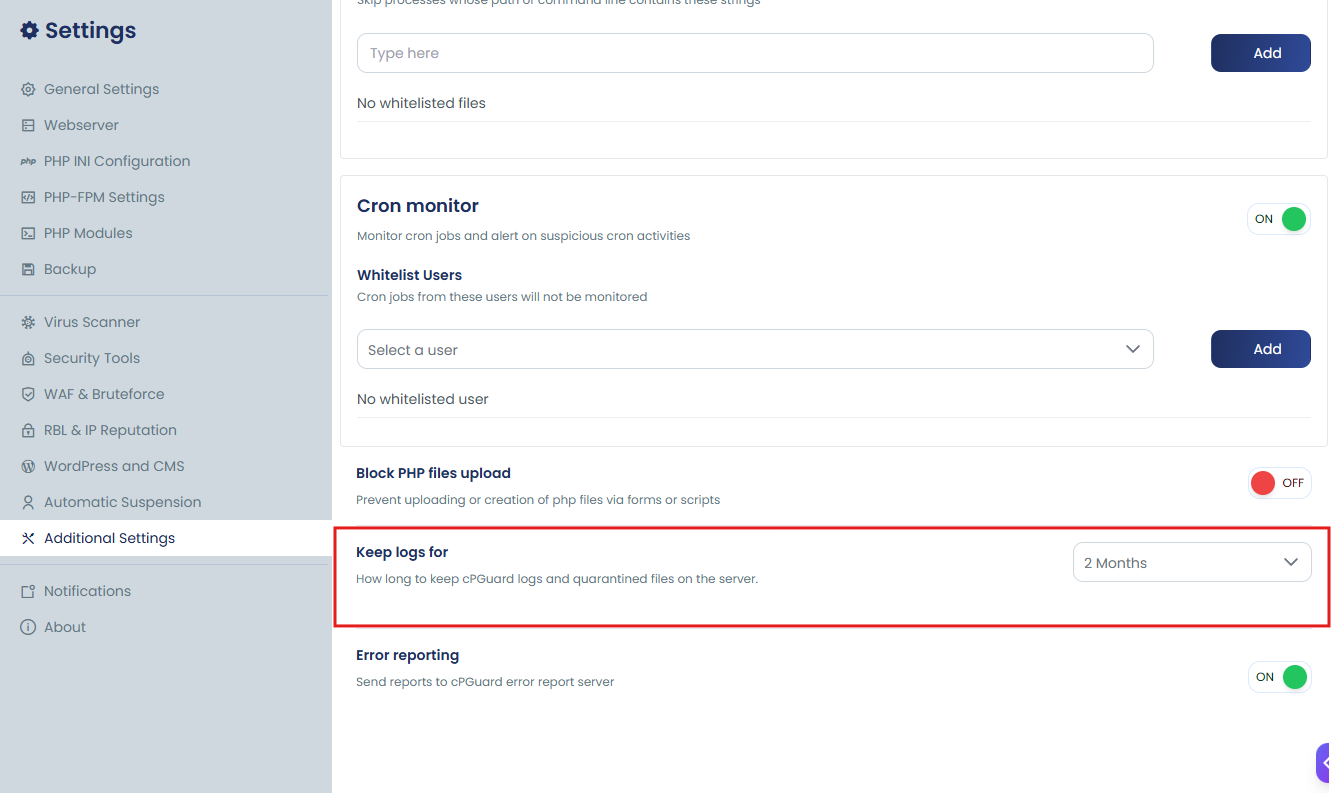
Choosing a Retention Period
From the dropdown, you can select how long data should be kept — either Always (logs and quarantined files are kept indefinitely, with nothing removed automatically) or a specific duration ranging from 1 to 6 months.
Once you set a specific time period, cPGuard will automatically delete any data older than that period.
This retention setting applies to four types of cPGuard data:
- Scan logs – Records generated during malware and security scans.
- Quarantined files – Items isolated in cPGuard's quarantine folder, located at
/etc/cpguard/quarantine. - WAF logs – Logs produced by the Web Application Firewall.
- Brute-force logs – Records related to detecting and blocking brute-force attacks.
Example: If you set the retention period to 3 Months, any data older than three months is automatically deleted the next time the cleanup process runs.