SSH Authentication & GitHub Integration
To manage your server securely, it is recommended to use SSH key-based authentication instead of passwords. SSH keys improve security and allow passwordless login to the server.
The cPGuard X control panel provides an interface to add SSH keys and configure outgoing SSH connections for services such as GitHub repositories.
Accessing SSH Settings
Follow these steps to access SSH configuration in the control panel:
-
Log in to the cPGuard X control panel.
-
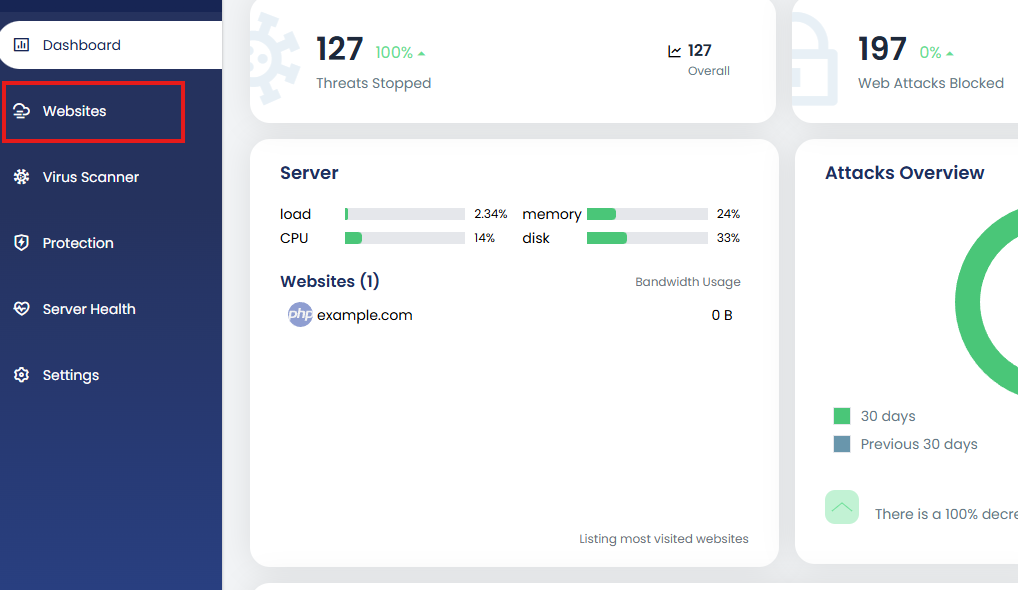
Navigate to Websites.
-
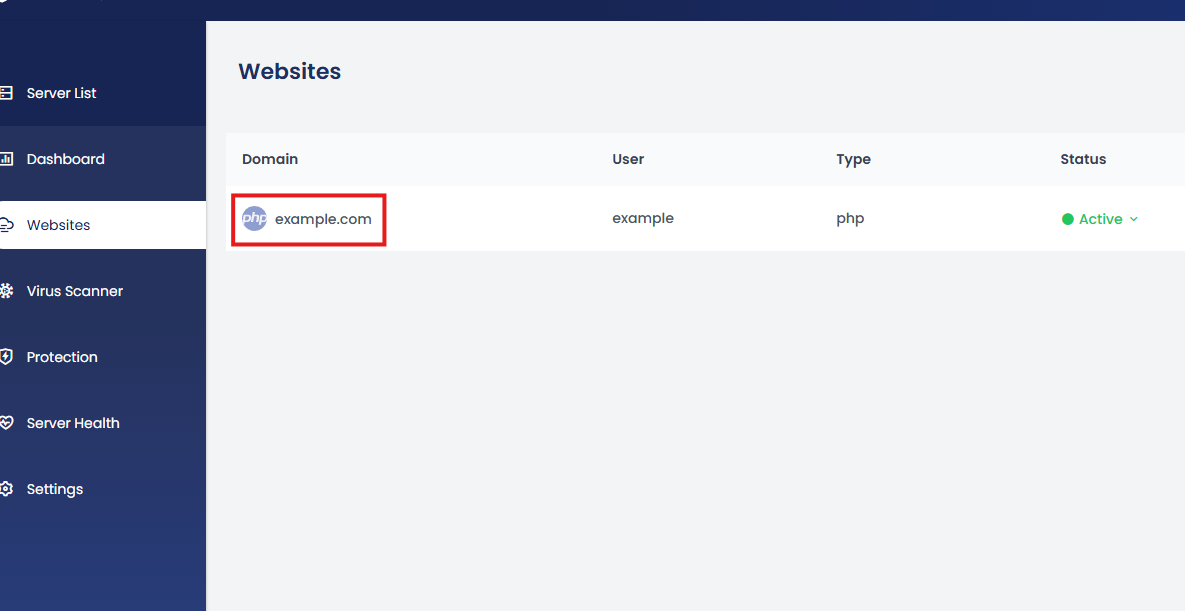
Select the website you want to manage.
-
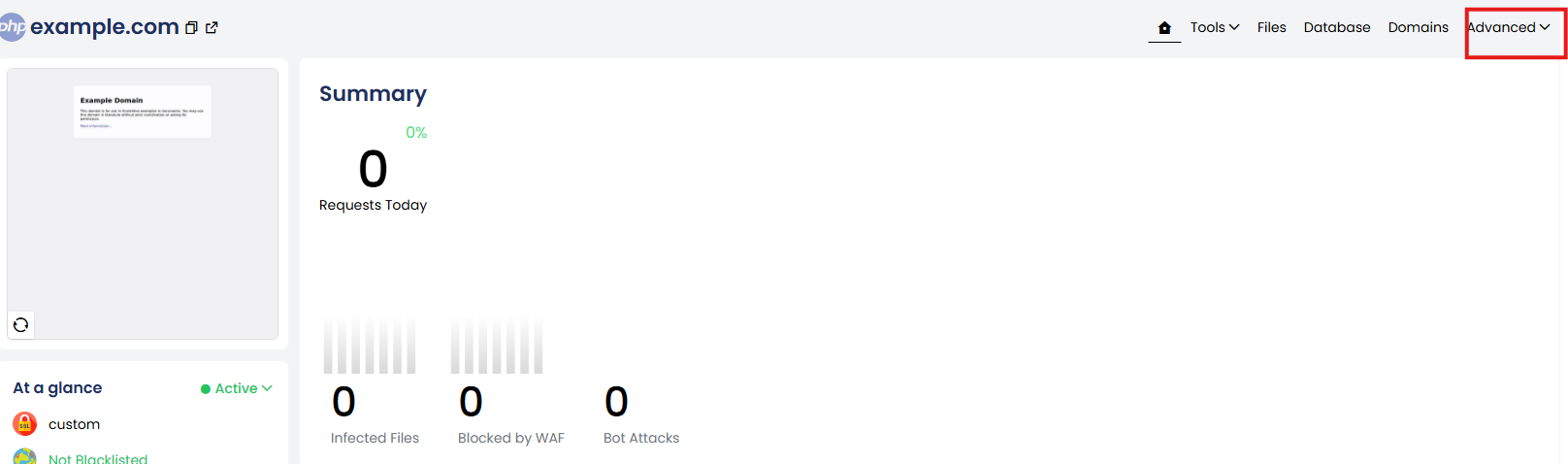
Open the Advanced dropdown menu.
-
Click SSH to open the SSH configuration page for the website.

-
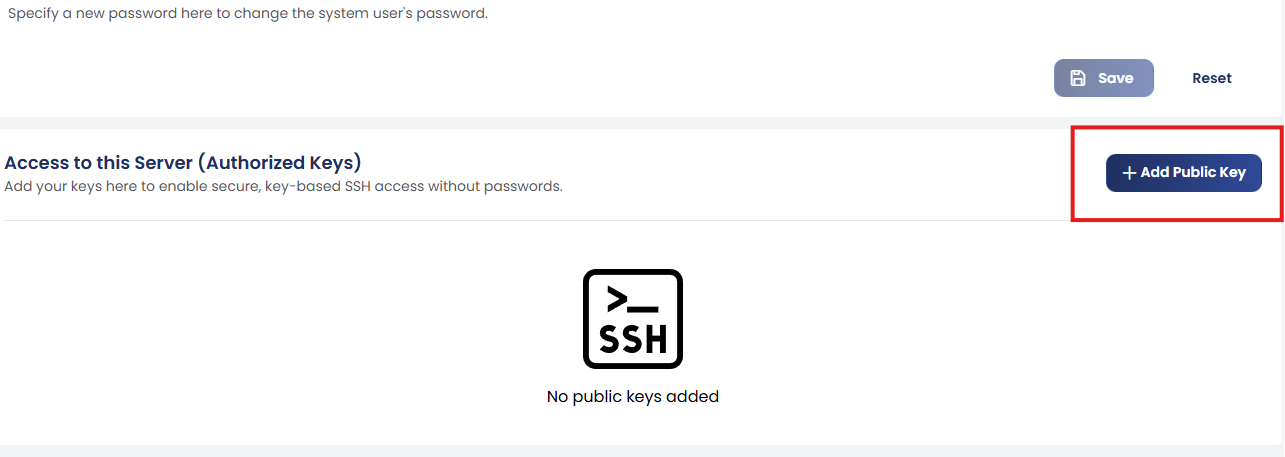
On the SSH page, click + Add Public Key to add a new key.
-
Paste your public SSH key in the provided field.

-
Click Create.
Once the key is added, you can connect to the server via SSH using the corresponding private key from your local machine.
Connecting to External Services (GitHub)
In some situations, the server must connect to external systems such as:
- GitHub
- Git repositories
- Deployment systems
To allow this, the server needs an SSH key pair.
Steps to Configure
- Go to the SSH section in the control panel.
- Click + Add SSH Key.
- Either:
-
Import an existing SSH key, or

-
Generate a new SSH key pair.

-
This key pair can then be used for outgoing SSH connections from the server to external platforms like GitHub.
Example: Using SSH with GitHub
After generating a key pair:
- Copy the public key.
- Add it to your GitHub account under:
GitHub → Settings → SSH and GPG Keys → New SSH Key
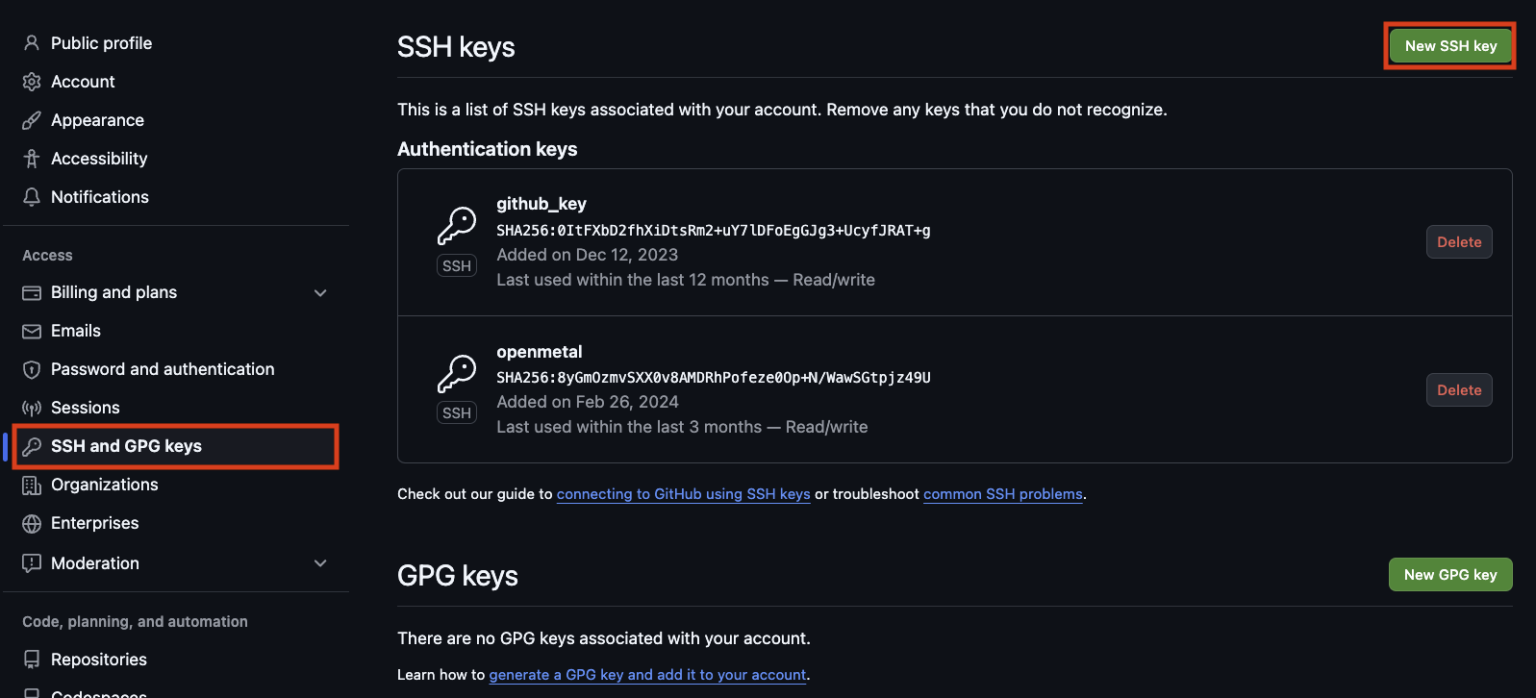
Once added, the server will be able to authenticate with GitHub repositories securely.
Benefits of SSH Authentication
Using SSH keys provides several advantages:
- Eliminates password-based login
- Stronger authentication mechanism
- Secure Git repository access
- Suitable for automated deployments
Summary
With cPGuard X you can:
- Add SSH public keys for server login
- Generate SSH keys for outbound connections
- Integrate servers with GitHub repositories
- Improve server security using key-based authentication
Using SSH keys is the recommended method for secure server access and automated repository integration.