Website Analytics with GoAccess
Overview
GoAccess is a real-time web log analyzer that provides detailed insights into your website traffic. It generates interactive reports based on your web server access logs, allowing you to monitor visitor activity, requests, bandwidth usage, HTTP status codes, and more.
The GoAccess feature in cPGuard X enables you to quickly view website analytics without manually processing log files.
Common Use Cases
You can use GoAccess to:
- Monitor website traffic in real time.
- Analyze visitor requests and page views.
- Identify the most frequently accessed pages.
- Review HTTP status codes (200, 301, 404, 500, etc.).
- Troubleshoot website errors using access logs.
- Detect unusual traffic patterns or suspicious requests.
- Monitor bandwidth usage and request statistics.
How to Open GoAccess
Follow these steps to access the GoAccess report for a website.
Step 1: Open the Websites Section
From the cPGuard X Control Panel, navigate to Websites using the sidebar or dashboard.

Step 2: Select the Website
From the list of websites, select the website for which you want to view analytics.

Step 3: Open the Tools Section
Within the selected website, navigate to the Tools section.
You will find the GoAccess option among the available website tools.
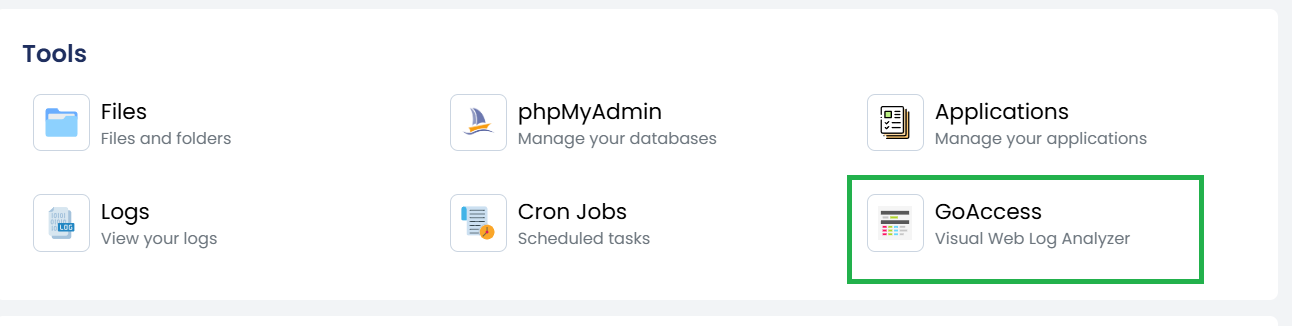
Step 4: Launch GoAccess
Click GoAccess to open the website analytics dashboard.
The report will display statistics generated from the website's access logs.
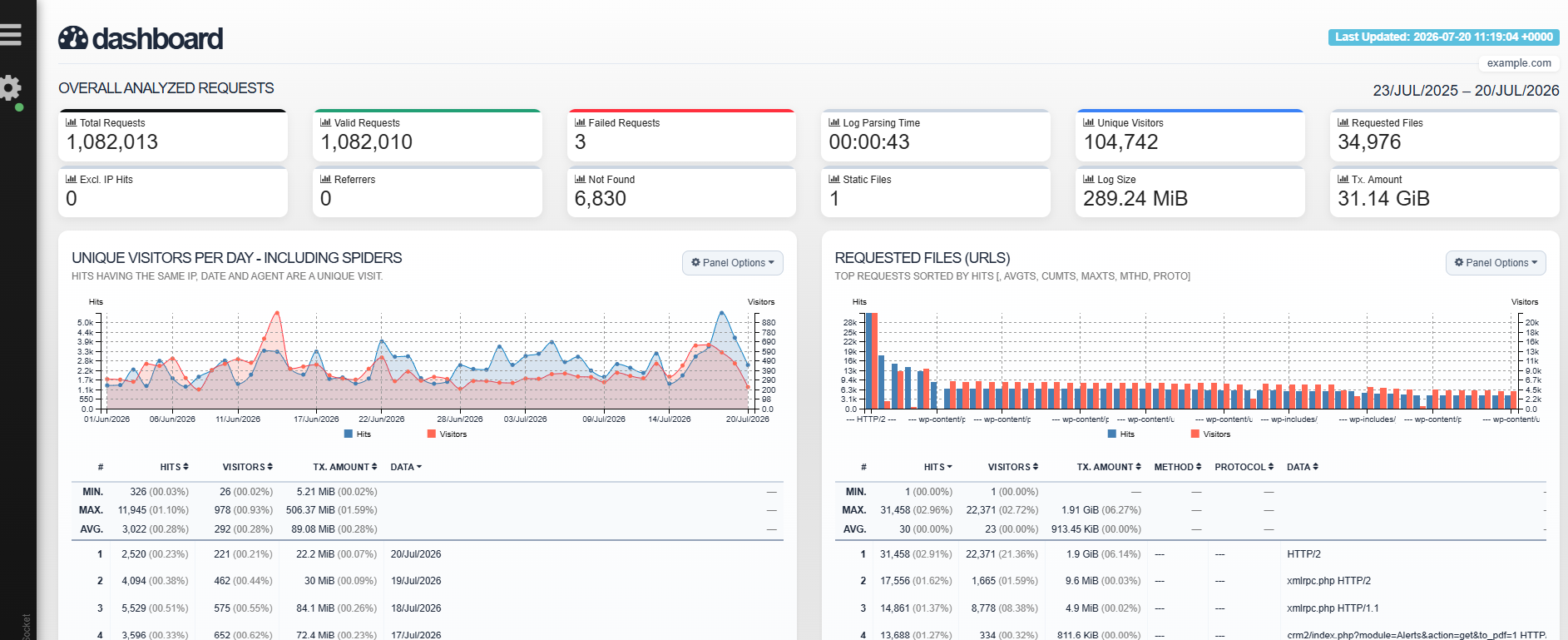
Available Information
Depending on your web server logs, GoAccess may display:
- Total visitors
- Total requests
- Unique visitors
- Requested URLs
- HTTP status codes
- Client IP addresses
- Operating systems
- Browsers
- Requested files
- Bandwidth usage
- Request methods (GET, POST, etc.)
- Daily and hourly traffic statistics
Notes
- GoAccess generates reports using your website's access logs.
- The available data depends on the retention period of your web server logs.
- If the website has little or no traffic, the report may contain limited information.
- The report updates as new access log entries become available.