Introduction
A centralised App Portal is available at app.opsshield.com giving you a single place to view, manage, and monitor all your servers without having to log in to each server's control panel individually.
What is the App Portal?
The App Portal is a graphical interface that communicates with the cPGuard agent service running on each of your servers. Its core purpose is to decouple server management from individual control panels. So whether you run one server or fifty, everything is accessible from one login.
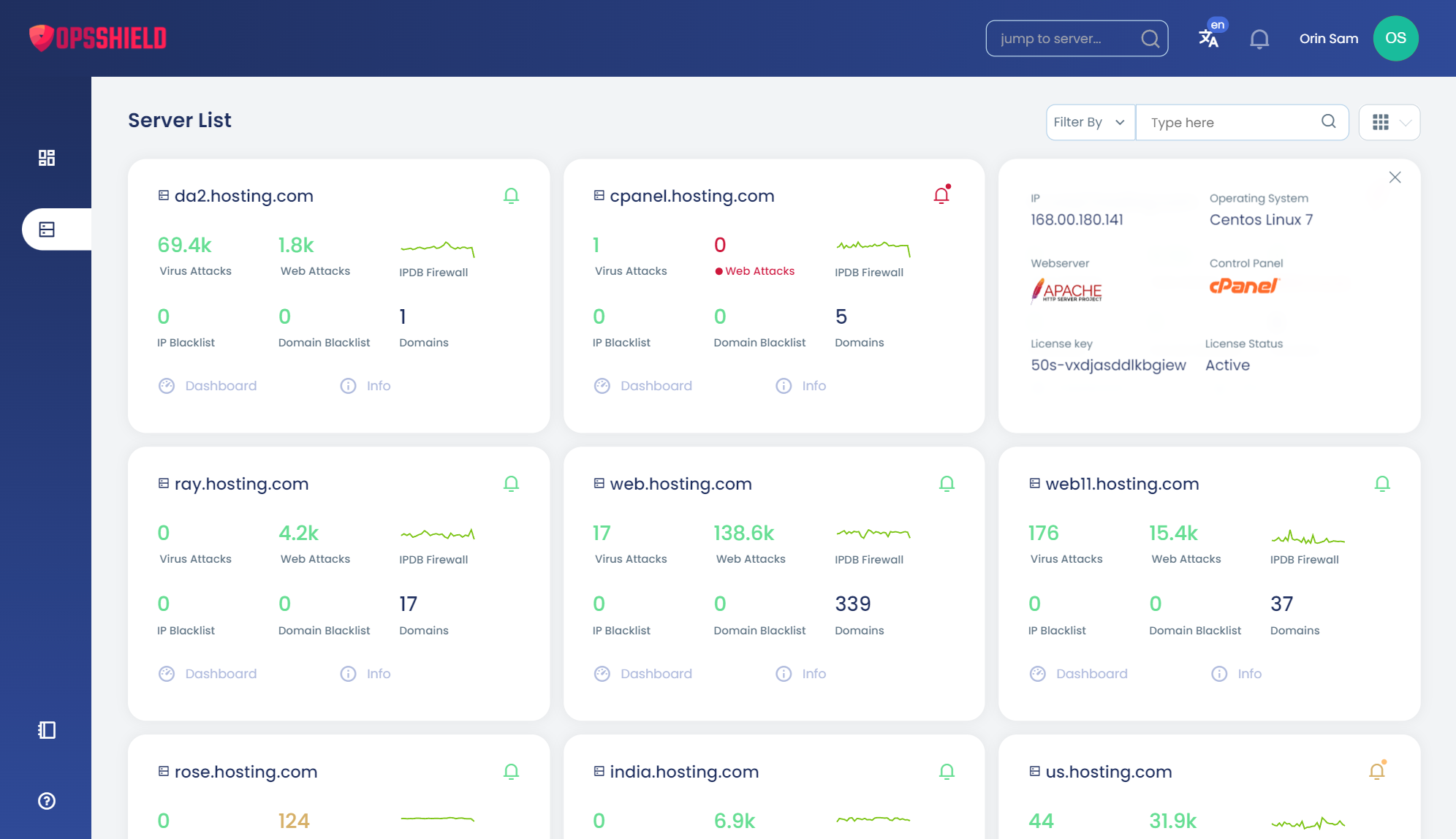
The App Portal works across all supported control panel types. You manage cPGuard through the portal regardless of whether your servers run cPanel, DirectAdmin, Plesk, or cPGuard X Standalone.
Accessing the App Portal
Visit https://app.opsshield.com and log in with your OpsShield account credentials.
Portal Navigation Overview
The App Portal has two distinct navigation states depending on whether you have a server open or not.
Default View : No Server Selected
Before selecting a server, the main navigation shows two items:
| Section | Description |
|---|---|
| Consolidated Dashboard | An at-a-glance overview of security status across all your servers |
| Server List | A full list of all servers linked to your account |
| Mass Operations | Perform actions across multiple servers simultaneously |
Per-Server View : After Opening a Server
Once you open a server from the server list, the navigation expands to show the full range of cPGuard features for that server
Switching Between Servers
You can switch between servers at any time without returning to the server list manually.
Quick Search (Keyboard Shortcut)
Press the / key anywhere in the portal to open the Quick Search bar. Type the server name or IP to locate and switch to it instantly, ideal when managing a large number of servers.
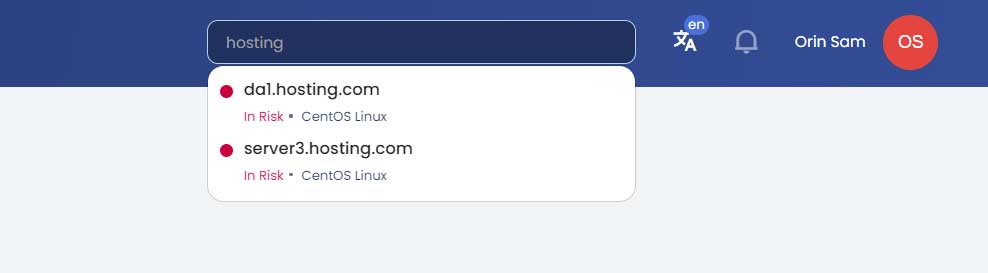
Via the Navigation Menu
Alternatively, navigate back to the Server List from the main menu, locate the server, and open it from there.
Why Use the App Portal?
| Without App Portal | With App Portal |
|---|---|
| Log in to each server's control panel separately | Single login manages all servers |
| Switch between multiple browser tabs or sessions | Switch servers instantly with Quick Search (/) |
| No consolidated view across servers | Unified dashboard shows all servers at a glance |
| Security logs scattered across individual panels | All logs accessible from one interface |
Summary
The cPGuard App Portal at app.opsshield.com is the recommended way to manage cPGuard across multiple servers. With a consolidated dashboard, per-server feature access, and fast server switching via Quick Search, it significantly reduces the overhead of managing security across a fleet of servers.